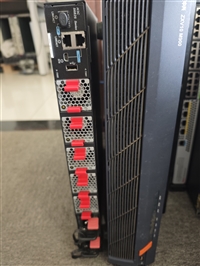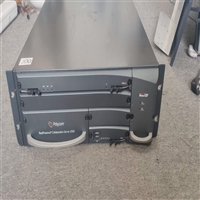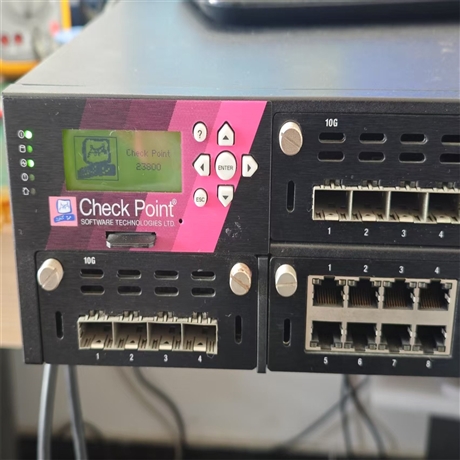

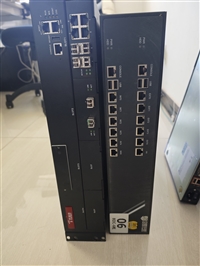
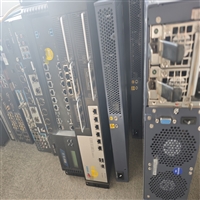
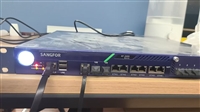
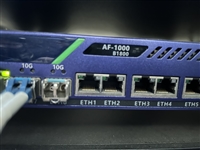
Firewall God NSG3000-TE35 Repair
Category:
Digital computer/network equipment /firewall
Model:
RTRT
Brand:
Internet God
Common Faults:
Unable to power on/repeatedly restart/crash
Interface repair:
10G optical port/electrical port/management port
Maintenance method:
Chip level refinement
service target:
Enterprise level firewall equipment
Warranty Statement:
Provide warranty service after repair
Retail Price
10,000,000.00USD
重量
kg
- Product Description
-
Common Faults Unable to power on/repeatedly restart/crash
Interface repair 10G optical port/electrical port/management port
Maintenance method Chip level refinement
service target Enterprise level firewall equipment
Warranty Statement Provide warranty service after repair
Description :
Non maintenance price listed The specific repair price depends on the degree of equipment damage
Repair scope (not limited to brands, can be repaired)
Video conferencing: video conferencing terminals, cameras, video conferencing MCUs, video conferencing boards, video conferencing power supplies, video conferencing fans, etc;
Network equipment: switches, routers, firewalls, VPN equipment maintenance, load balancing, video encoders, internet behavior management, engine modules, interface boards, gateways, IPS devices, wireless controllers, servers, power supplies, fan modules, etc
Service scope: Nationwide
repair failure
Machine error, machine repeatedly restarts, machine cannot restart, machine crashes, machine card logo, machine cannot enter the system, no power, no image, no sound, camera& Like& Head blue screen, splash screen, startup jitter, inability to power on, no signal during startup, no network connection issues, microphone unable to collect sound, severe poor picture quality, sound lag, echo or howling, automatic restart after use for a period of time, inability to make calls, remote& Control& Various faults such as device issues, ISDN module burnout, inability to send dual stream content, inability to enable multi-party conference function, etc
repair cycle
Mid to low end products take 2-5 working days, high-end equipment takes 5-10 working days, and the repair cycle for difficult faults is determined according to the actual situation
warranty service
free service
The company provides free testing for all customers' equipment without charging any testing fees. Even if the equipment is not repaired, no fees will be charged for the quoted price after testing. If the machine cannot be repaired or repaired due to various reasons such as severe damage, no fees will be charged
Service Process
(1) Contact us by phone to inquire about the specific type of malfunction, confirm the delivery address, and send the faulty machine to our company's repair department. The receptionist will register the repair order for you
(2) Our company's engineers will conduct preliminary inspections to determine the cause of the malfunction, the degree of damage, and thus determine the approximate repair period and corresponding repair costs
(3) The company will inform customers of the test results (free testing by our company) After quoting to the customer, wait for their message before proceeding to the next step
(4) After the customer confirms the repair, arrange for an engineer to repair the machine
(5) After repeated testing and inspection, confirm that the fault has been repaired and the test is stable, and notify the customer to pick up the machine The customer comes to our company for acceptance, payment, and pick-up of the machine, or after the customer makes payment, the machine is mailed to the customer If it cannot be repaired, no fees will be charged
Our company adheres to the principle of quality first and customer first, and wins customer satisfaction with high-quality technology and enthusiastic service. We welcome new and old customers to write, call, or come to the site for inspection and cooperation The company is willing to work hand in hand with new and old customers to achieve win-win cooperation and create a better future together!
The main service content includes:
1. Startup fault repair: Resolve issues such as device failure to power on, power indicator light not on, repeated restarts, stuck in LOGO interface unable to enter the system, black screen or no signal output during startup.
2. System stability maintenance: Conduct in-depth troubleshooting and firmware recovery for sudden crashes, screen flickering, blue screens (abnormal management port connection), operation lag, unresponsive buttons, and other system issues during machine operation.
3. Network connection repair: deals with issues such as no network connection, network port lights not turning on, data transmission interruption, 10G optical or electrical port communication failures caused by hardware port damage.
4. Image and Display Abnormalities: Fix LCD module or motherboard signal transmission issues such as no image on the management screen, display jitter, and missing characters.
Applicable scenarios:
Applicable to Check Point 23800 firewall devices deployed in enterprise data centers, large campus network boundaries, and cloud computing environments. When the device experiences hardware level or underlying system level failures that cannot be resolved through regular software debugging, this maintenance service can restore the normal operation of the device, avoiding high overall replacement costs and ensuring the continuous security protection capability of the enterprise network boundary.
Target audience:
Enterprise IT operations departments, network system integrators, data center administrators, and technical service providers responsible for maintaining critical network infrastructure.
AfterSalesService :
Key words: